House, tree and sun
Paint Engine 0.16.9; colours requested: 10;used: 10. Regions: 22.Source: 320 × 240 px.Complexity: child_2.
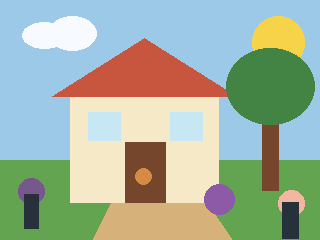
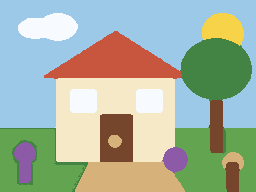
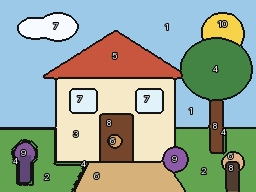
The simple drawing makes outline changes and merged shades visible. Small details still need review before printing.
A workflow for production teams
PaintGenAI
Tracing every shade is not enough to make a photo enjoyable to paint. Preserve recognisable details, avoid excessively small regions and position numbers so they remain readable at the chosen size. PaintGenAI helps prepare and review the digital project before printing.
Request beta access01
The workflow
Start with a sharp image and a clear main subject. Give a portrait enough space for the face; a detailed background makes the pattern harder. Upload the photo, select paint by numbers and set the canvas size before reviewing details.
Check that eyes, lips and the silhouette survive palette reduction. Inspect the numbered pattern too: narrow strips and tiny enclosed regions can be difficult to paint even when the colour preview looks good. Review corrections in both views.
Print a section at the intended scale and check number readability. Match the palette to real paints, record review findings and export the current version. A screen preview does not prove that paint will match on canvas.
Verifiable examples
These are original demonstration drawings, not photographs or customer cases. Layouts and patterns were produced by the real PaintApp engine without manual retouching of the result.
Paint Engine 0.16.9; colours requested: 10;used: 10. Regions: 22.Source: 320 × 240 px.Complexity: child_2.
The simple drawing makes outline changes and merged shades visible. Small details still need review before printing.
Paint Engine 0.16.9; colours requested: 10;used: 10. Regions: 61.Source: 320 × 240 px.Complexity: adult_3.
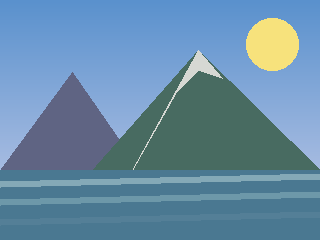
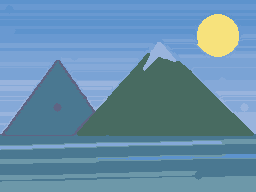
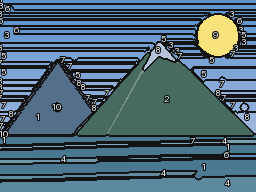
Reducing gradients to 10 colours creates bands and narrow regions. This illustrates a palette limitation: review details, adjust the source or settings and regenerate before release.
These are reduced previews, not print-ready kit files. The calculation used a 40 × 30 cm canvas; this does not prove physical print quality. Review number readability and materials and make a test print before release.
Generation settings and image checksumsOne working context
Practical answers
Choose a clear main subject without motion blur or blown highlights. A large face against a simple background is easier for a first portrait than a group photo with small faces. Enlarging a small source cannot restore missing detail: inspect eyes and outlines before making the pattern.
There is no universal number. Fewer colours simplify the kit but may merge important midtones; more colours make paint matching and painting harder. Compare variants using the same source and canvas size. For a portrait, inspect facial transitions rather than only the likeness of a thumbnail.
A thumbnail hides regions too small for a number or brush tip. Review at print size: numbers must be readable, boundaries distinct and small regions paintable. If a test section is awkward, correct the details or choose a larger format before releasing the whole kit.
Yes. Select paint by numbers and keep the source, versions, pattern and number review, QA, material links and current export together in the project.
Yes. Upload existing artwork or explore source options in the AI studio, then select a reviewed source for further work.
No. A digital project supports preparation and review, but physical readiness requires approved materials, calibration and a final decision by the responsible team.
PaintGenAI